Introduction
In the world of software development and reverse engineering, memory dumping plays a crucial role. It involves extracting a snapshot of a computer's memory at a particular point in time, which can then be analyzed to gain insights into the behavior of a program. When it comes to game hacking, this technique becomes especially valuable as it allows hackers to gain access to the underlying code and data used by the game, which are often stored in dynamic link libraries (DLLs) or shared libraries.
1. What is Memory Dumping or Dumping Libs from Memory?
Memory dumping refers to the process of capturing the content of a system's memory, typically the Random Access Memory (RAM), and saving it into a file for later analysis. This process can be likened to taking a snapshot of the system's current state, capturing everything that is loaded into memory, including the operating system, applications, and any other running processes.
In the context of dumping libs from memory, we are specifically interested in extracting the shared libraries or dynamic link libraries (DLLs) that are loaded into the memory by an application. These libraries are essential components of the application, containing executable code, functions, and data that the application relies on to perform its tasks.
When a program is executed, it loads the necessary libraries into memory. These libraries can include various system-level libraries as well as custom libraries specific to the application. By dumping these libs from memory, one can obtain a copy of these libraries as they exist in the running process, which can then be analyzed for various purposes.
2. What is the Use of Memory Dumping?
Memory dumping is a technique widely used in software development, debugging, reverse engineering, and security analysis. The primary use of memory dumping is to capture the state of a program at a specific point in time, which can then be analyzed to understand its behavior, identify potential issues, or discover vulnerabilities.
For developers, memory dumping is an invaluable tool for debugging complex applications. When an application crashes or behaves unexpectedly, analyzing a memory dump can help identify the root cause of the issue. Developers can examine the memory dump to see what data was being processed, what functions were being called, and how the program's state led to the problem.
In reverse engineering, memory dumping is used to study proprietary software, understand its functionality, and potentially modify its behavior. By analyzing the dumped libraries, reverse engineers can gain insights into the program's inner workings, identify important functions and variables, and even develop patches or modifications.
3. Why Do We Use This in Game Hacking?
In the realm of game hacking, memory dumping is an essential technique used to gain a deeper understanding of a game's mechanics. Modern games are complex applications that often include various layers of protection to prevent tampering or cheating. By dumping the libraries used by a game, hackers can bypass these protections and gain access to the code and data that drive the game's behavior.
Once a hacker has obtained a memory dump of a game's libraries, they can analyze the code to discover important functions and variables that control various aspects of the game, such as player stats, in-game currency, or game physics. With this knowledge, they can develop cheats or hacks that modify the game's behavior to their advantage.
For example, by analyzing the dumped libraries, a hacker might discover the function responsible for calculating a player's health points. They could then modify this function to give their character infinite health, making them invincible in the game. Similarly, they could find and modify functions related to in-game currency, giving themselves unlimited resources.
So in game hacking, dumping libraries from memory is essential for understanding how a game operates at a low level. By analyzing the dumped libs, hackers can discover important functions, variables, and algorithms that the game uses. This knowledge can then be used to manipulate the game, create hacks, or bypass certain protections.
Method 1: Dumping Libs with Game Guardian
In this method, we’ll use Game Guardian to dump libs from memory.
- Open Game Guardian and the Game:
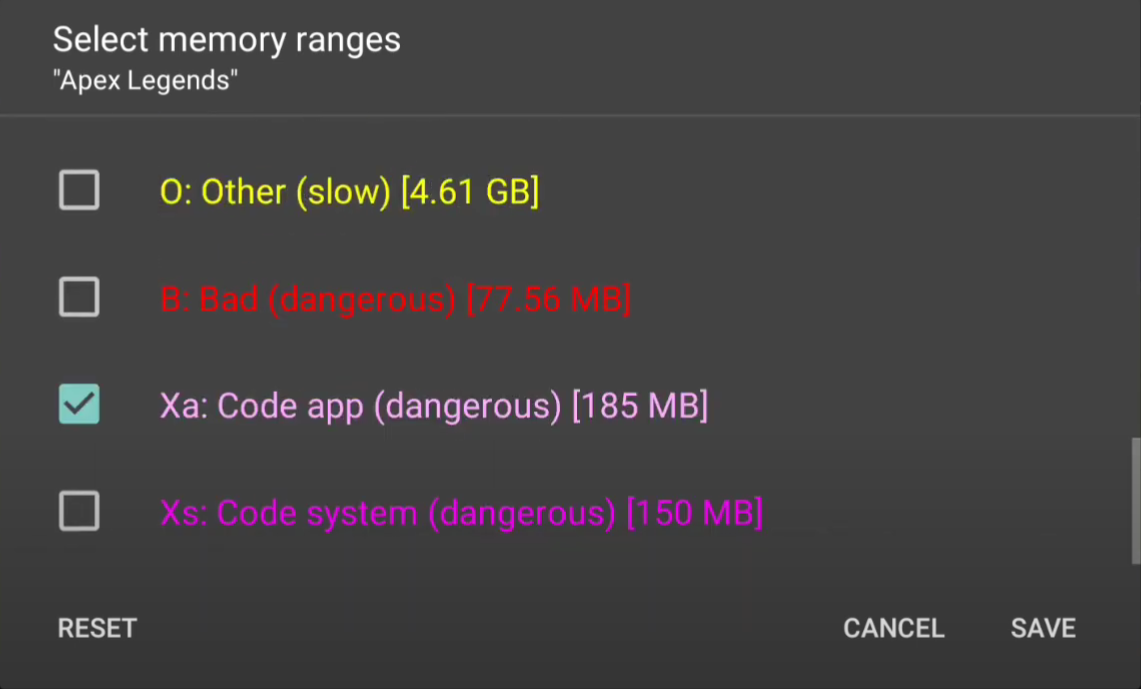
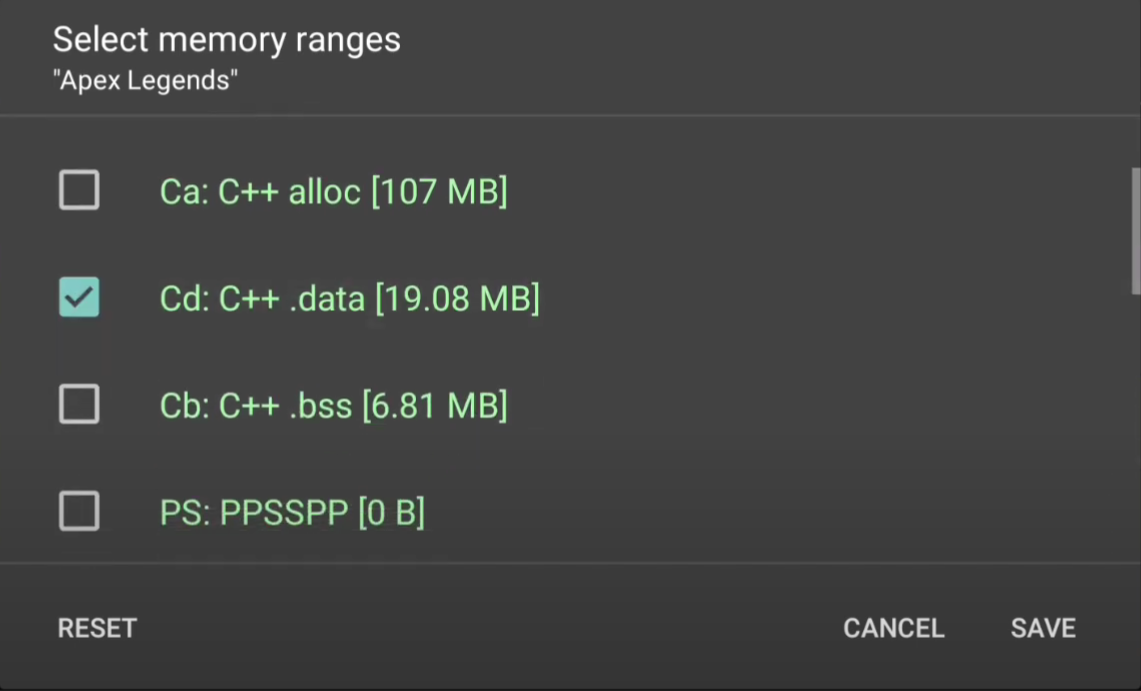
- Select Memory Ranges:
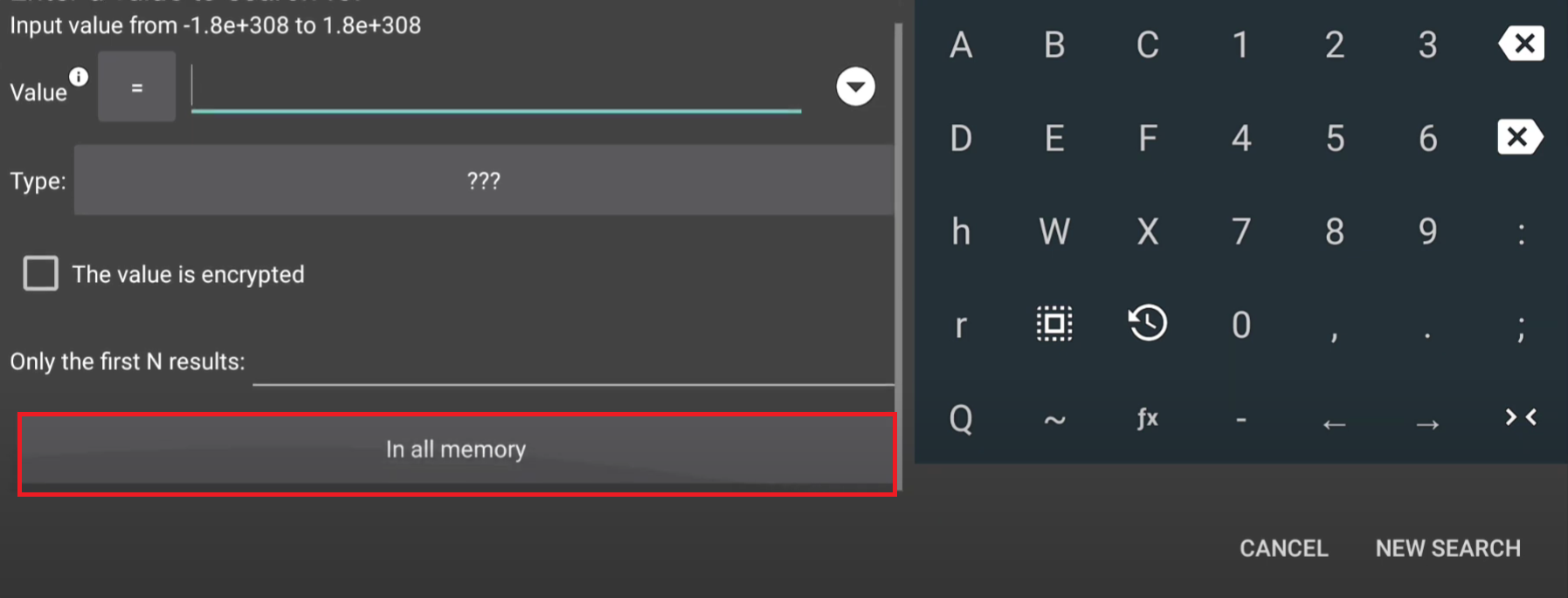
- Search for Libs:
- Select the search tab and click on the known search tool.
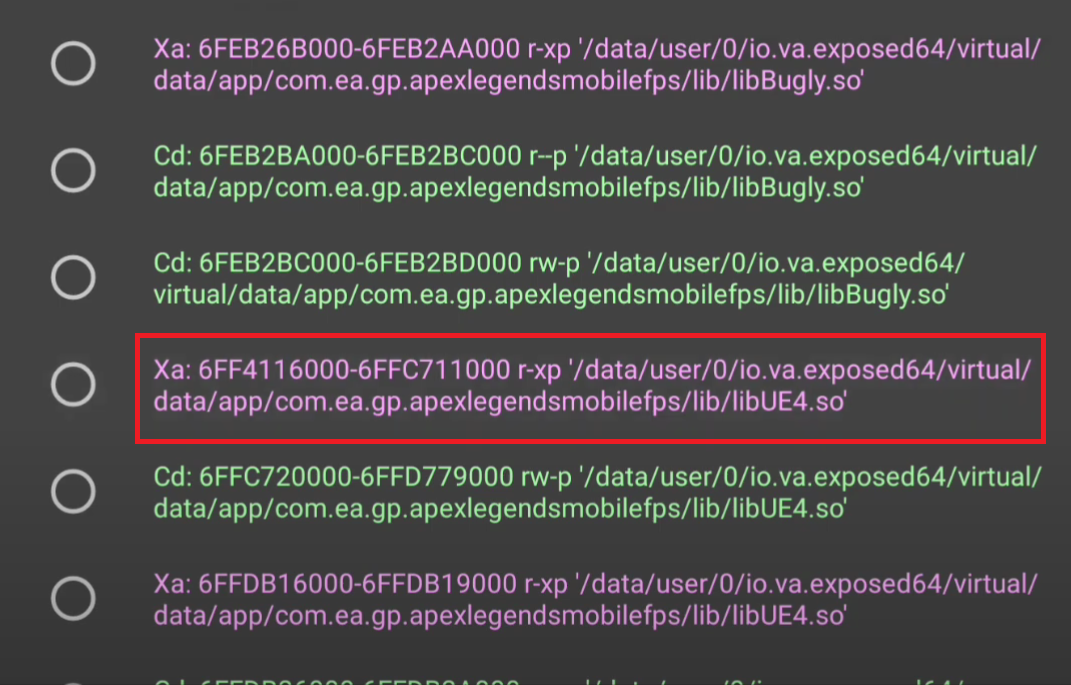
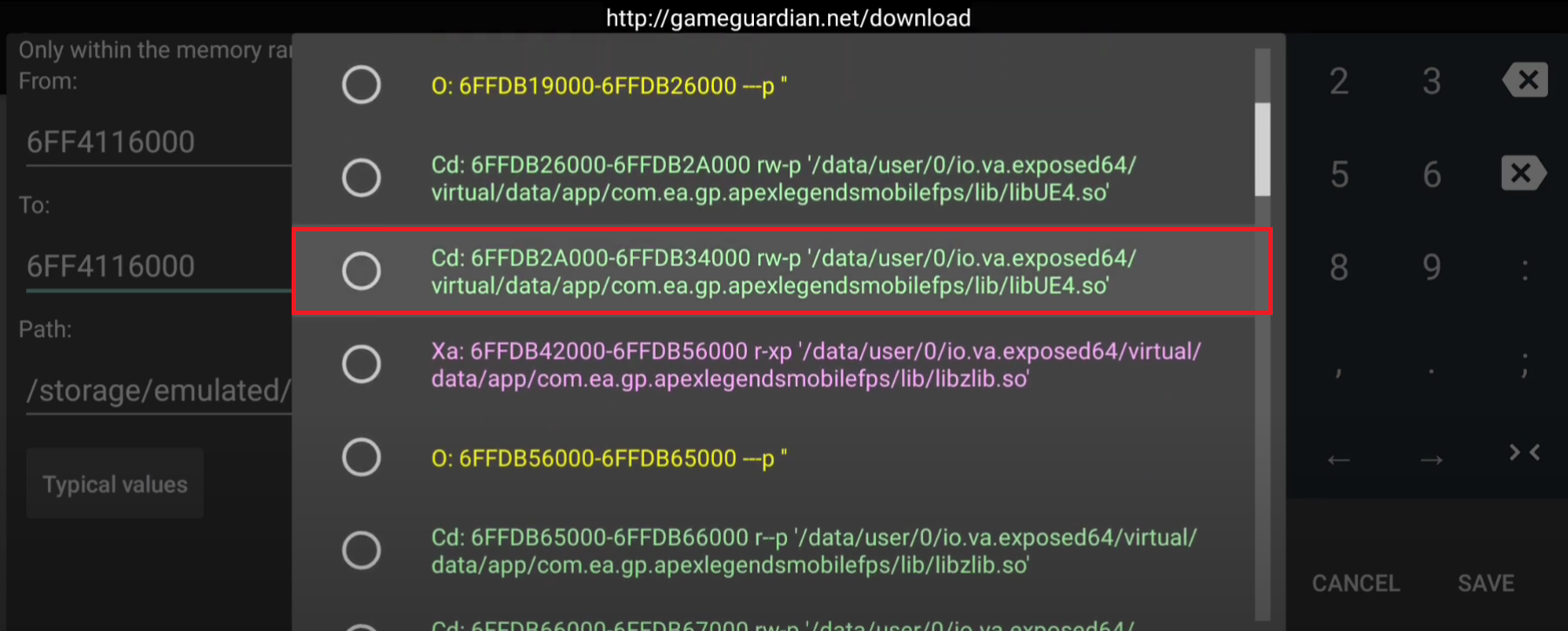
- Tap on "all memory," and click on the drop-down button in the "from" section.
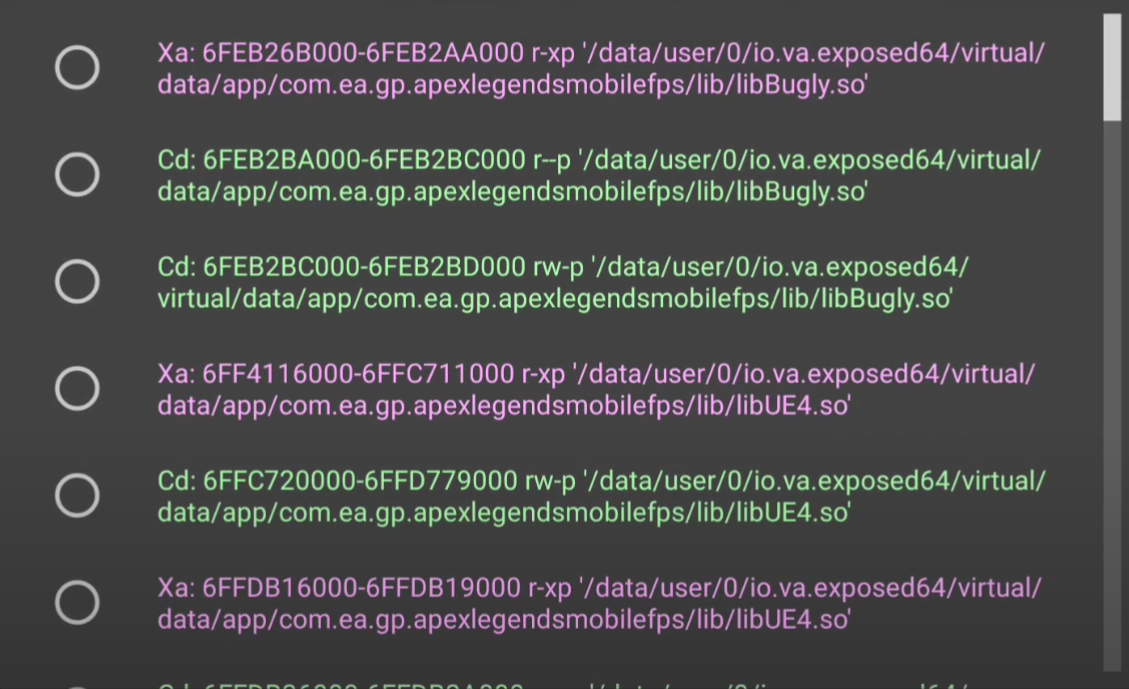
- Here, it will display all the libs currently being used by the game.
- Find the Lib to Dump:
- Identify the lib you want to dump. For example, if you want to dump "libUE4.so", check the first occurrence of that lib and select it.
- Copy the address.
- Dump the Memory:
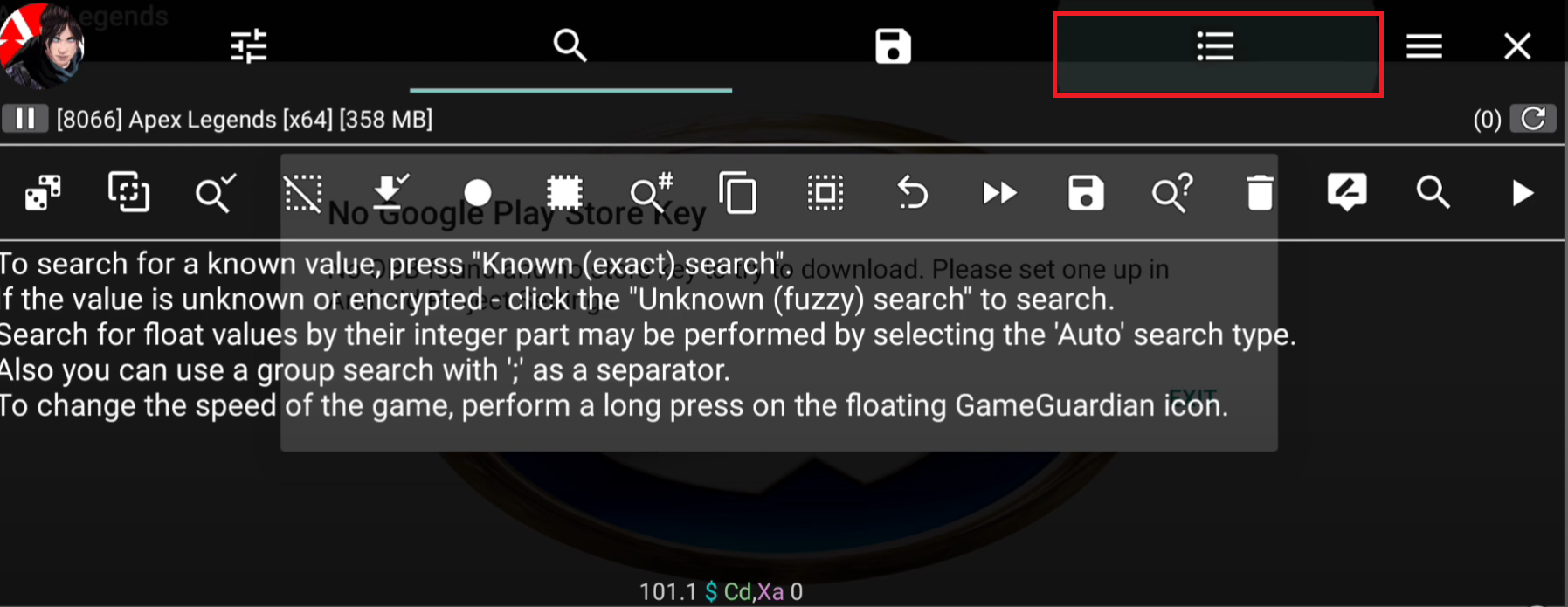
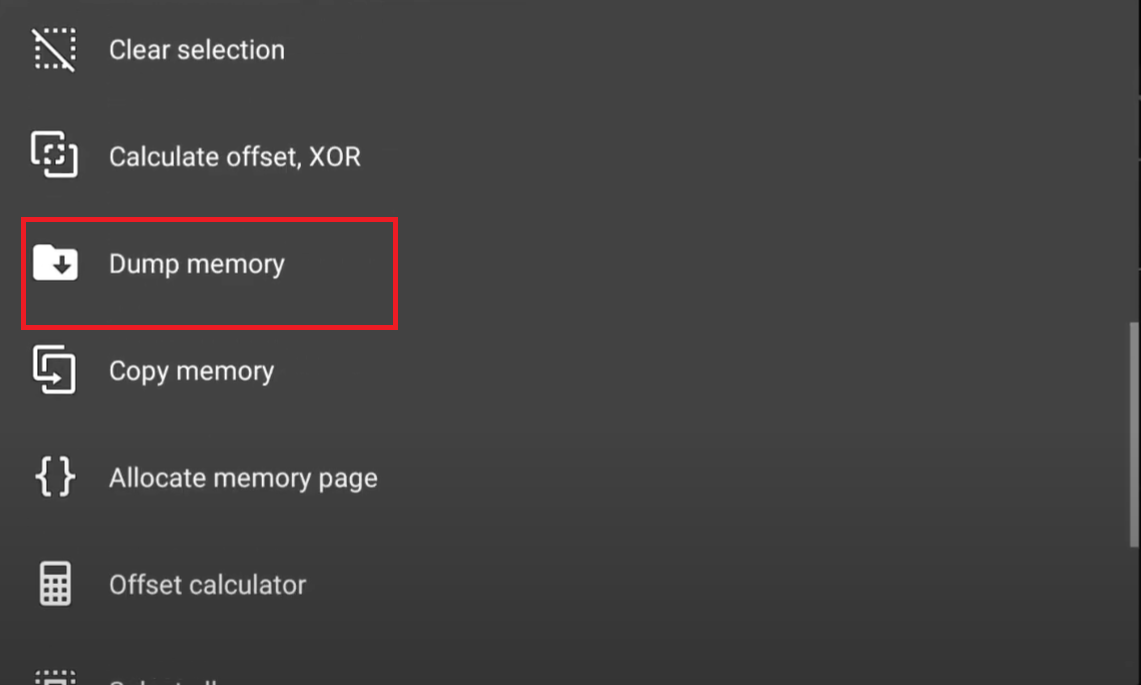
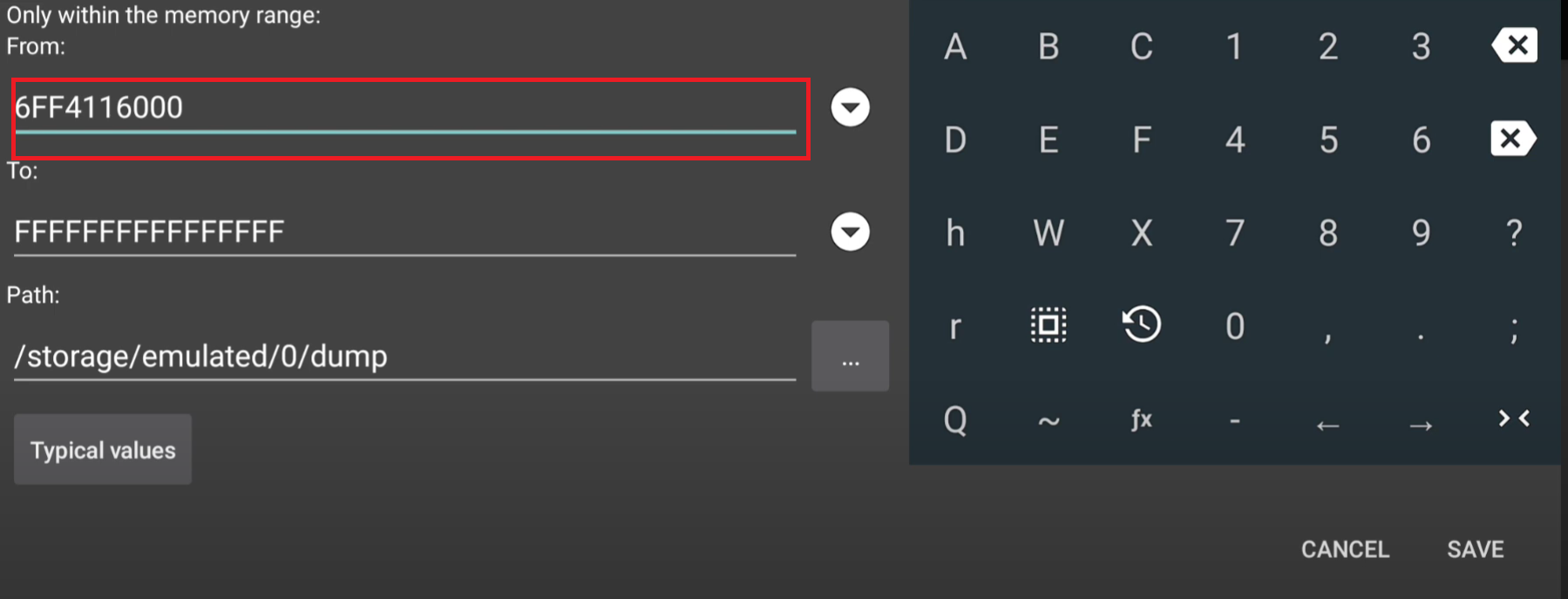
- Go to the address tab section and select the "dump memory" option.
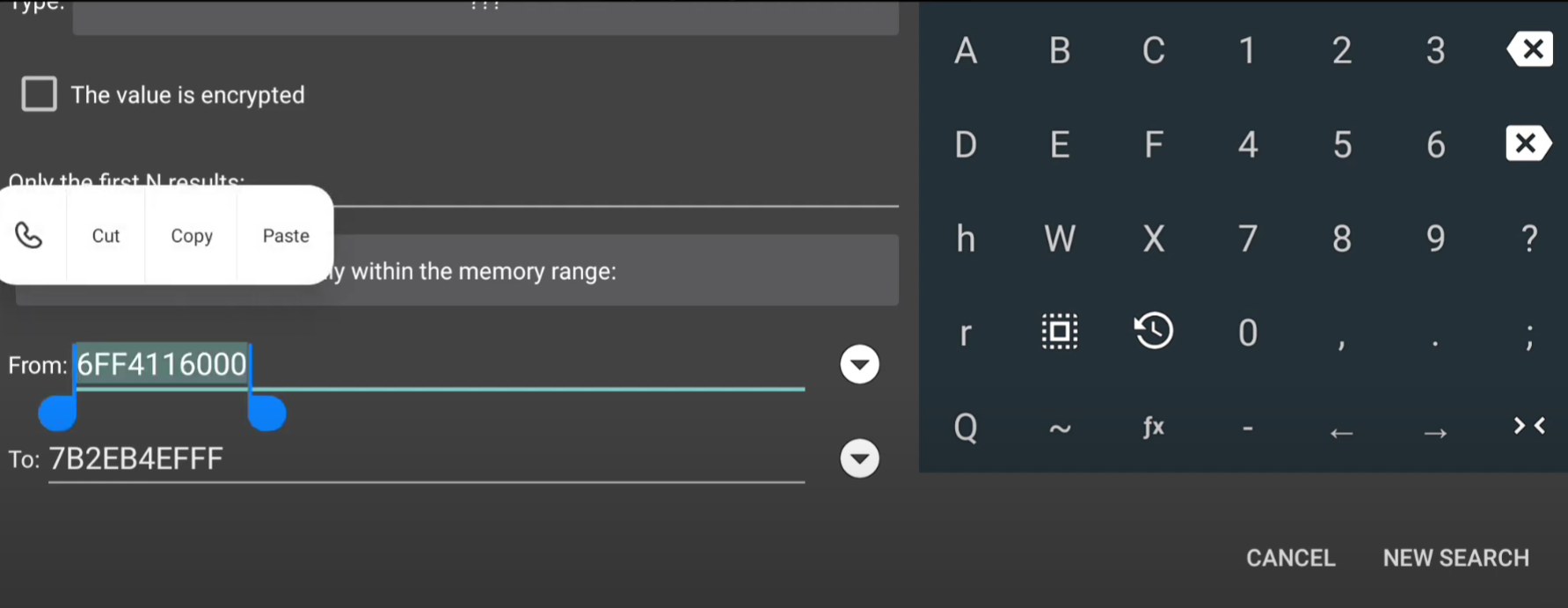
- Paste the copied address in the "from" section.
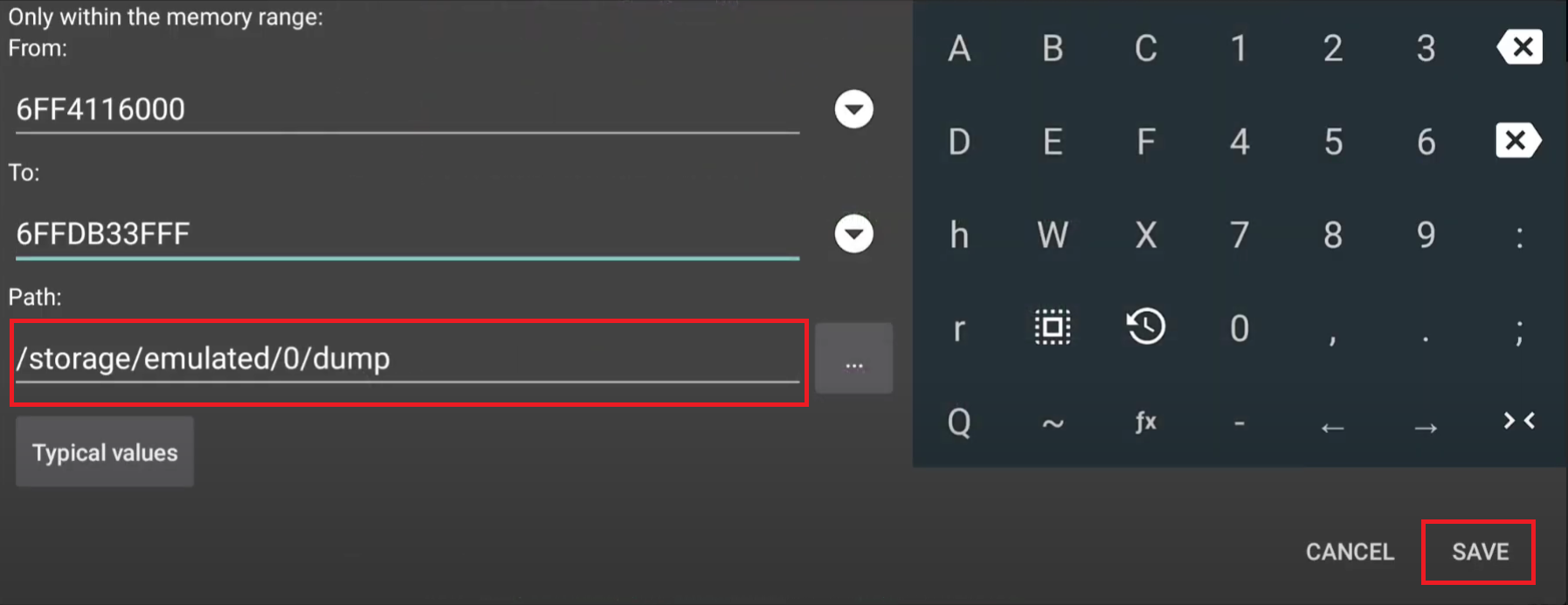
- Paste the same address in the "to" section, then click on the drop-down button in the "to" section and select the last occurrence of your lib name.
- Select the desired folder path to save the dump file (you can leave it as default) and click on save.
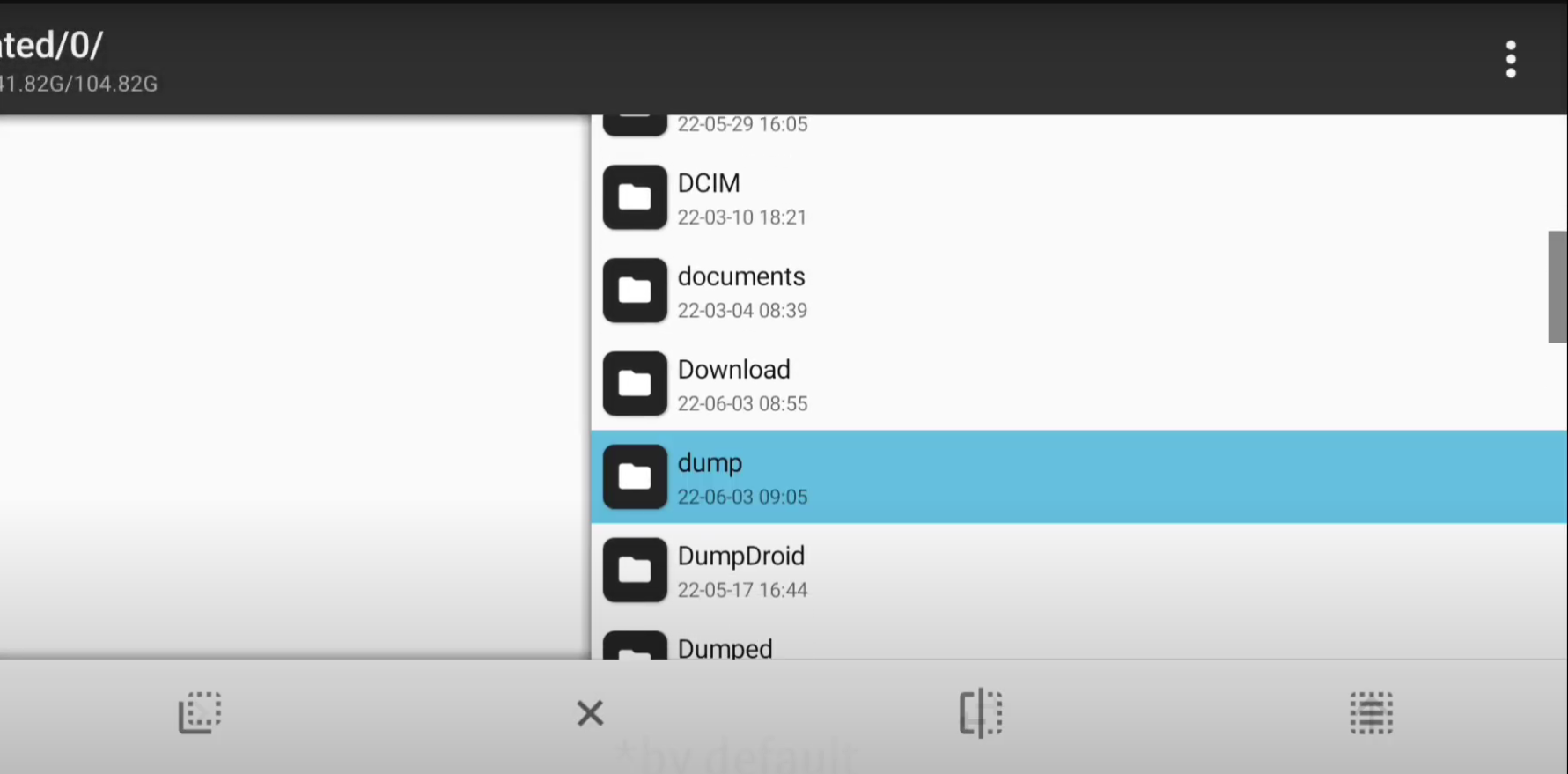
- Check the Dump File:
- Go to the path where the file is saved and verify the dump file.
- That’s it! You’ve successfully dumped the lib file.
Start by opening Game Guardian and the game from which you want to dump libs.
Unselect all memory ranges and then select only "xa: code app" and "ca: c++. data" ranges.
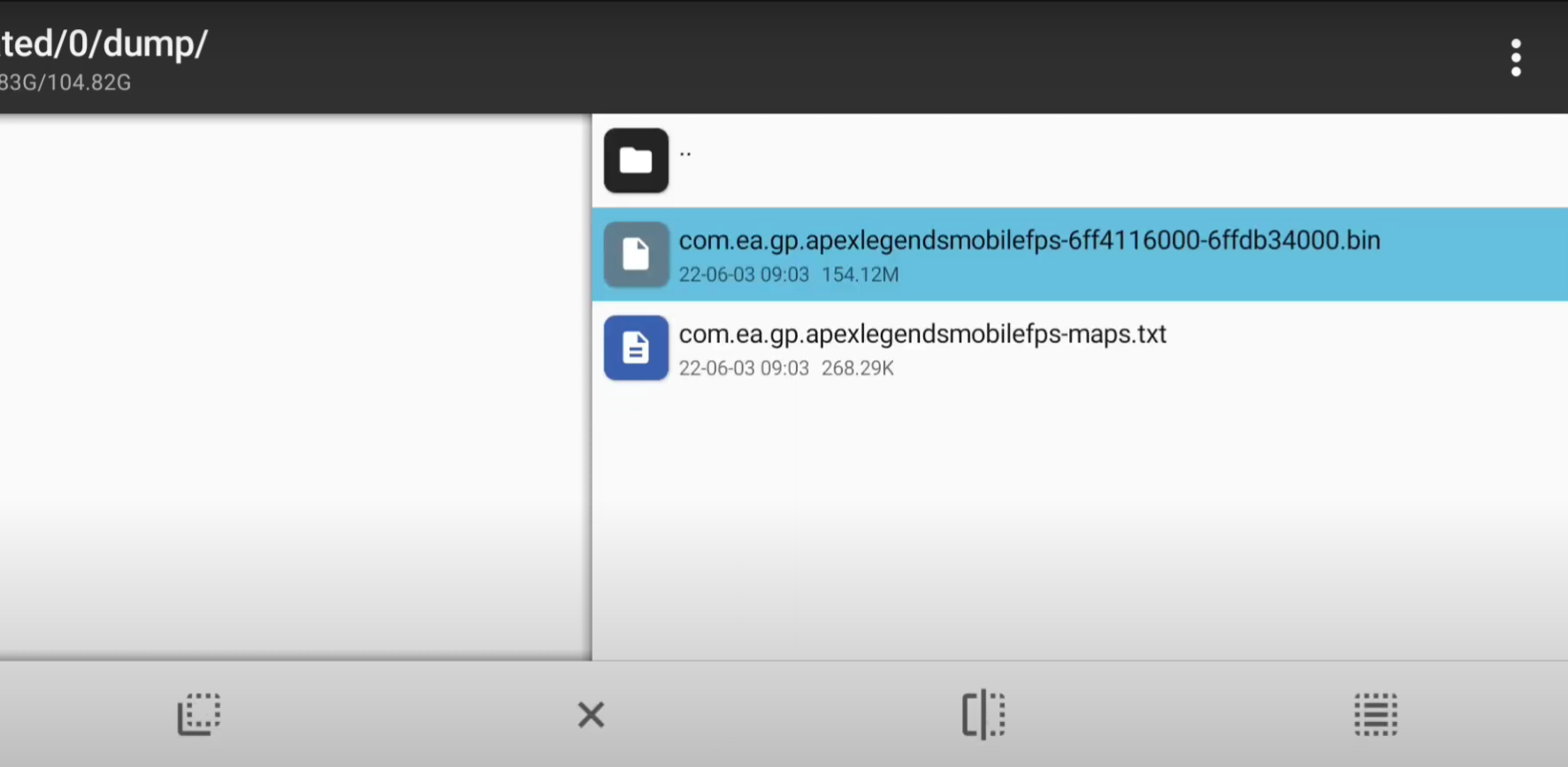
Method 2: Dumping Libs Without Game Guardian
In this method, we’ll use external dumping tools instead of Game Guardian. There are various tools available, each one working with specific lib files. Let’s see how to dump "libil2cpp.so".
- Required Files: Before dumping, you need to have both the metadata and "libil2cpp.so" files.
- Tools for Dumping:
- Online Services: You can use websites like ArmConverter and IL2CPPDumper to dump the lib.
- APKs: Alternatively, you can use APKs like IL2CPPDumper to perform the dump. For il2cppdumper apk click here.
- Video Tutorial: Dumping Il2cpp.so file
Method 3: ilbUE4.so file dumping
You can dump this with Method 1 also. Now let's see another method to dump the libUE4.so file.
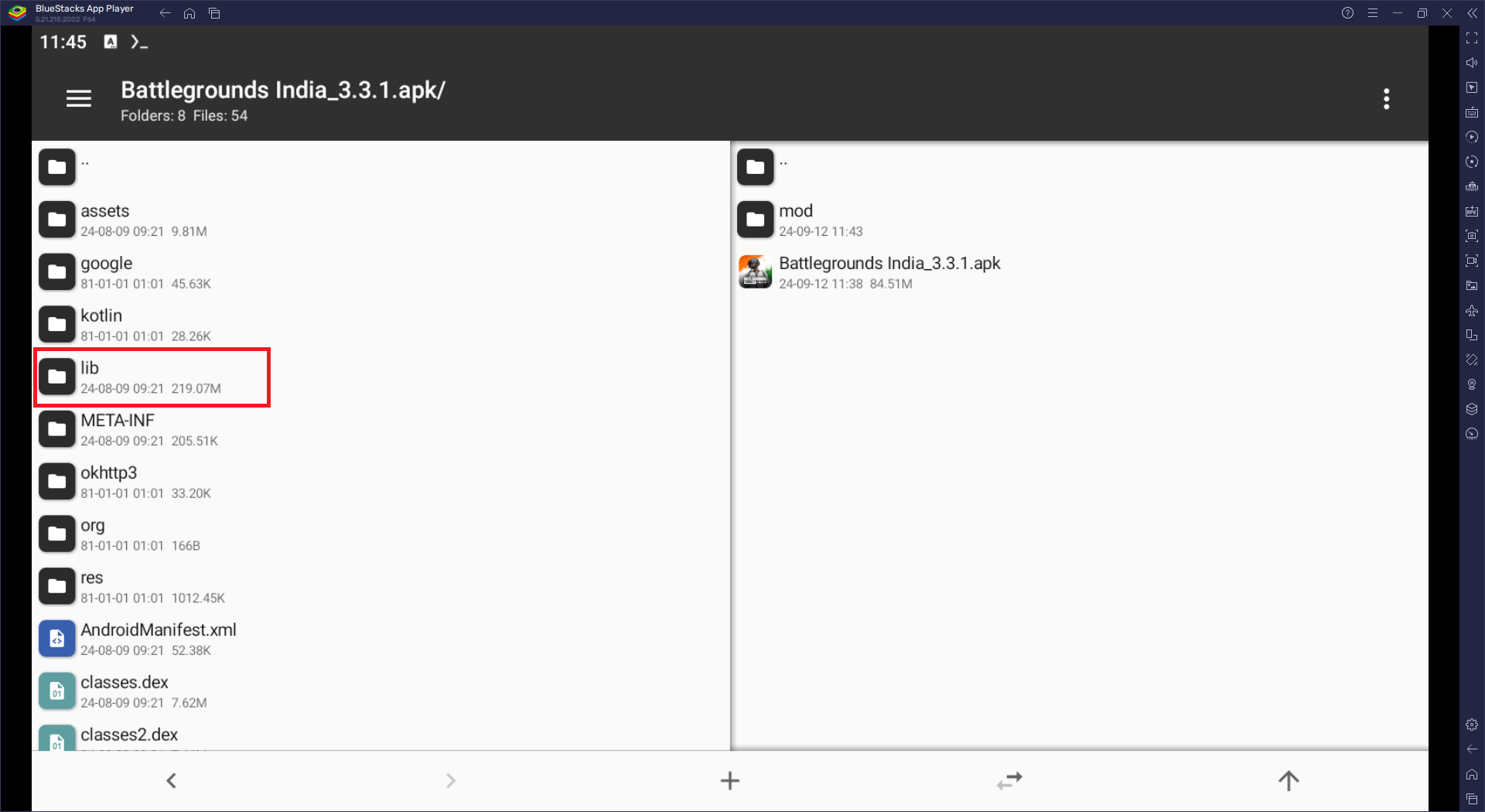
- First, extract the APK by using MT Manager.
- If you don't have the APK, then download it from here.
- Now open the APK.
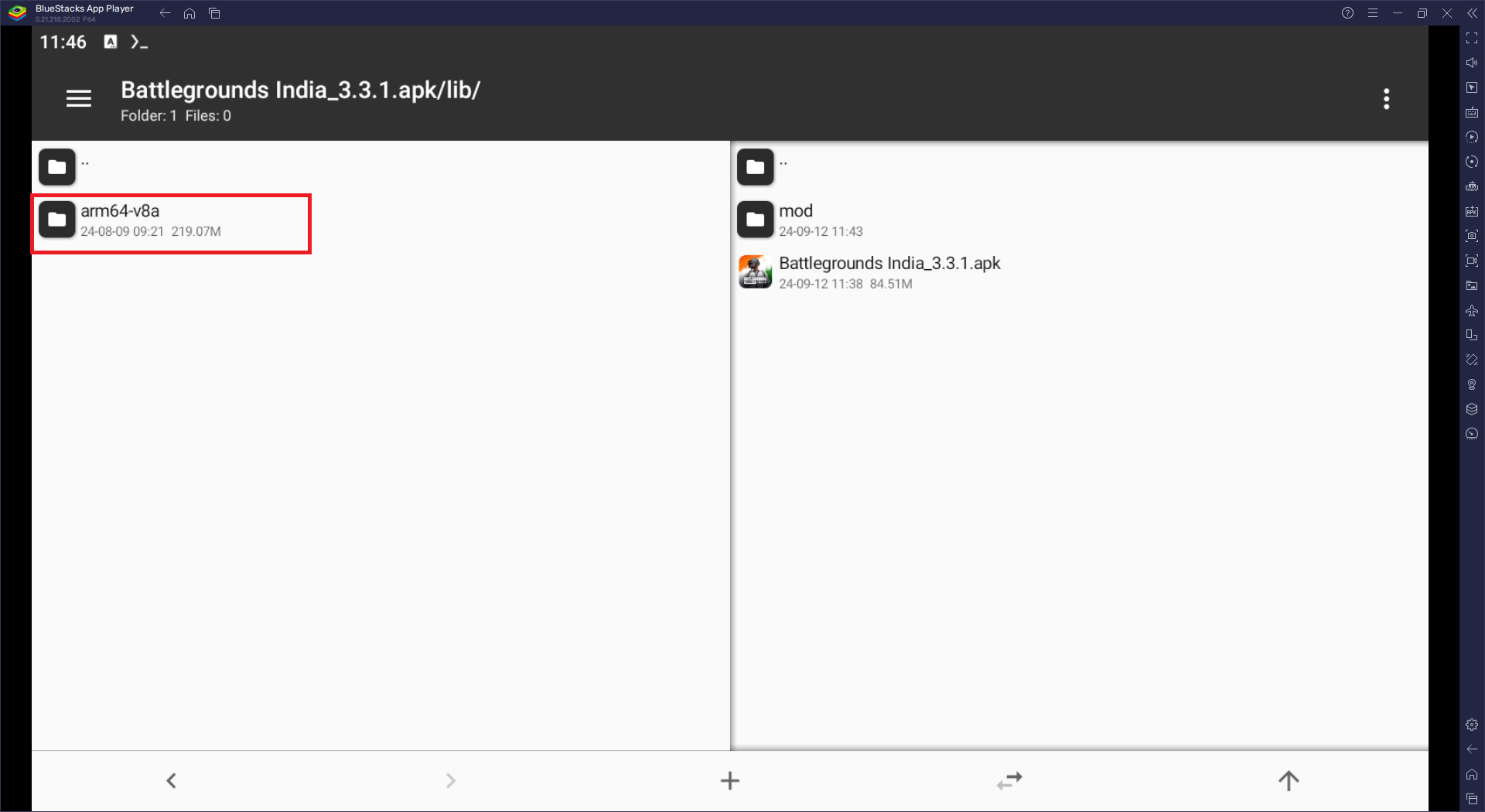
- Locate the 'lib' folder.
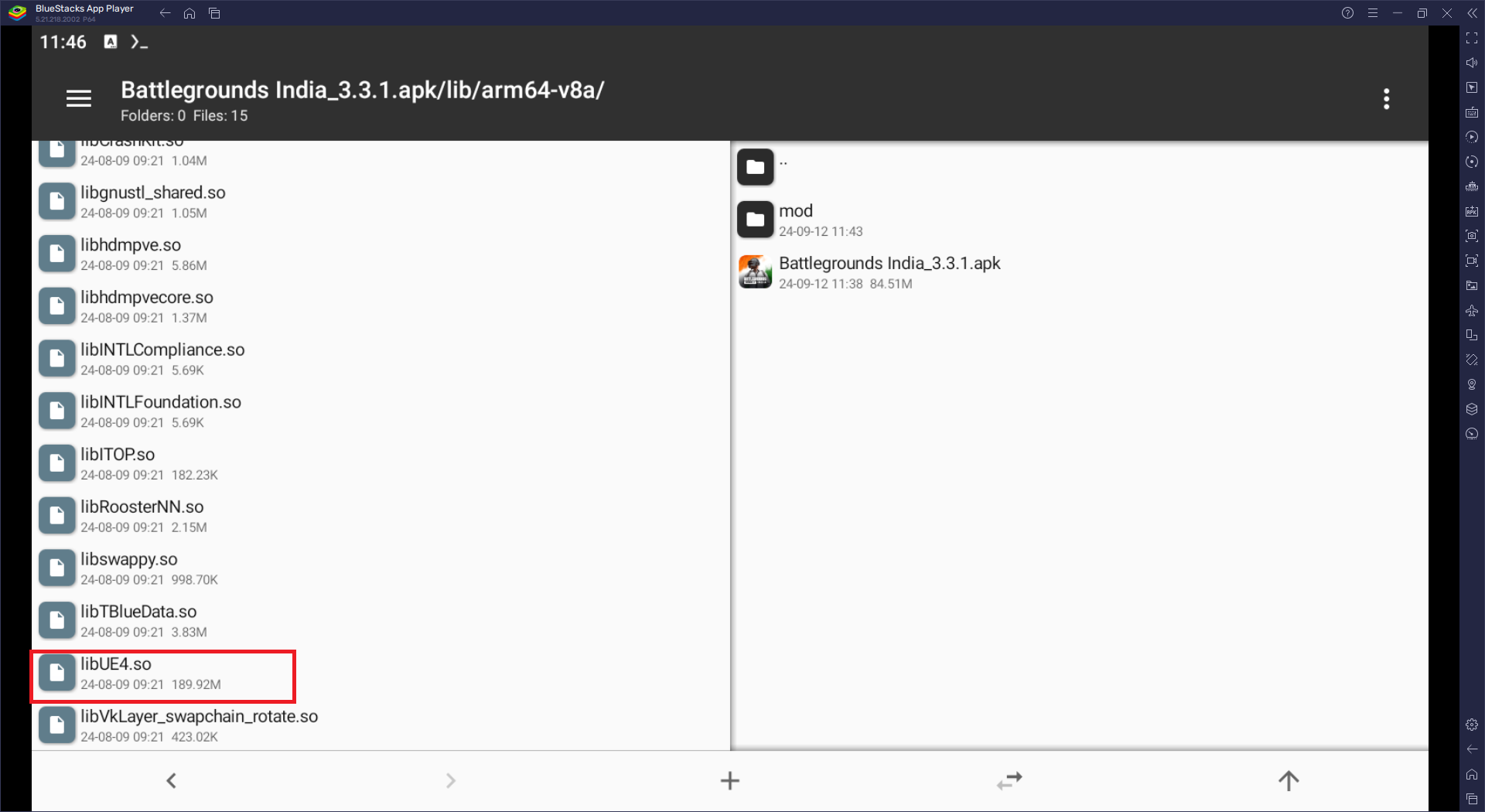
- Find the libUE4.so file.
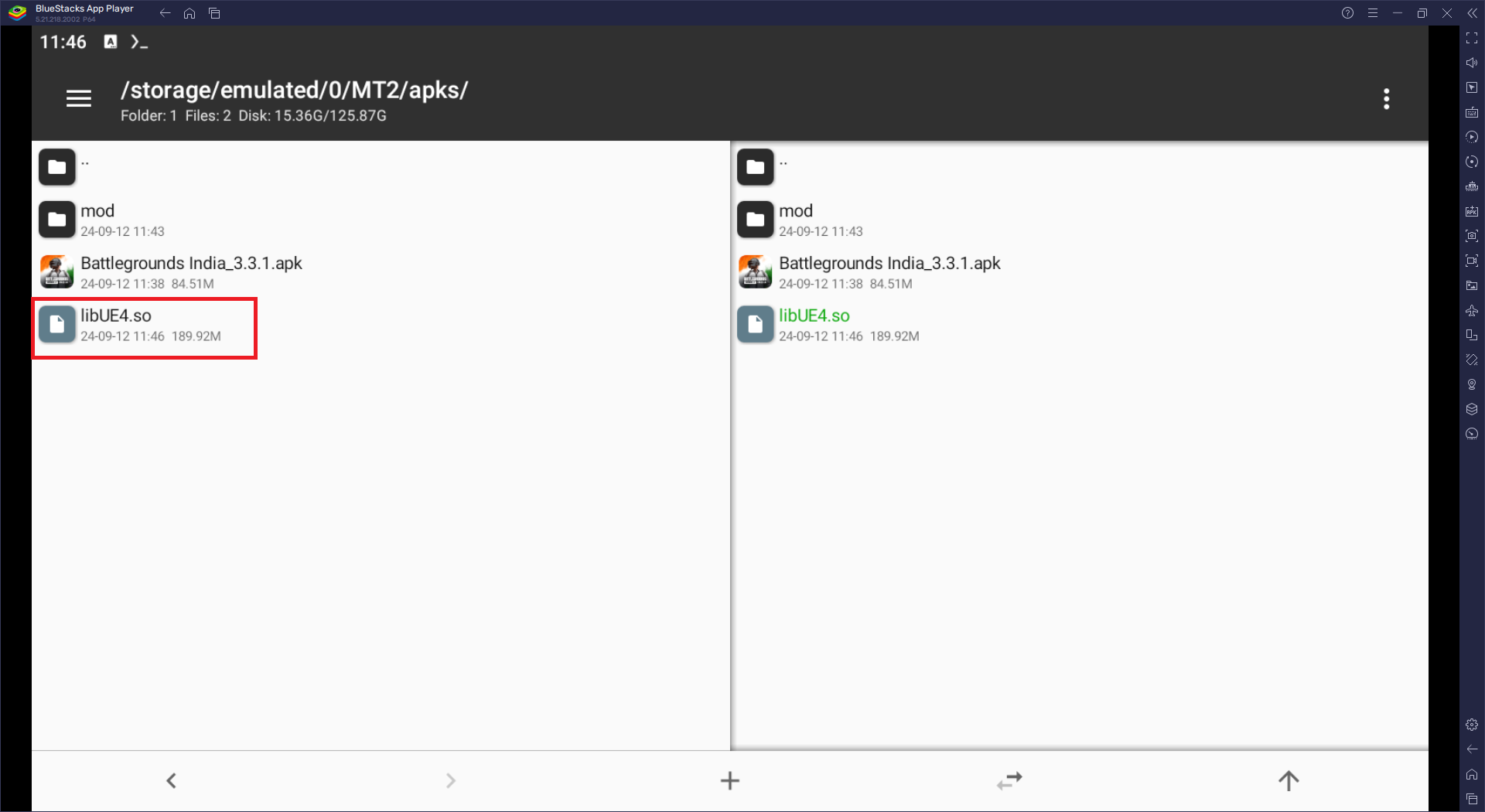
- Extract it to wherever you want.
- I extracted it to the same folder where our APK is.
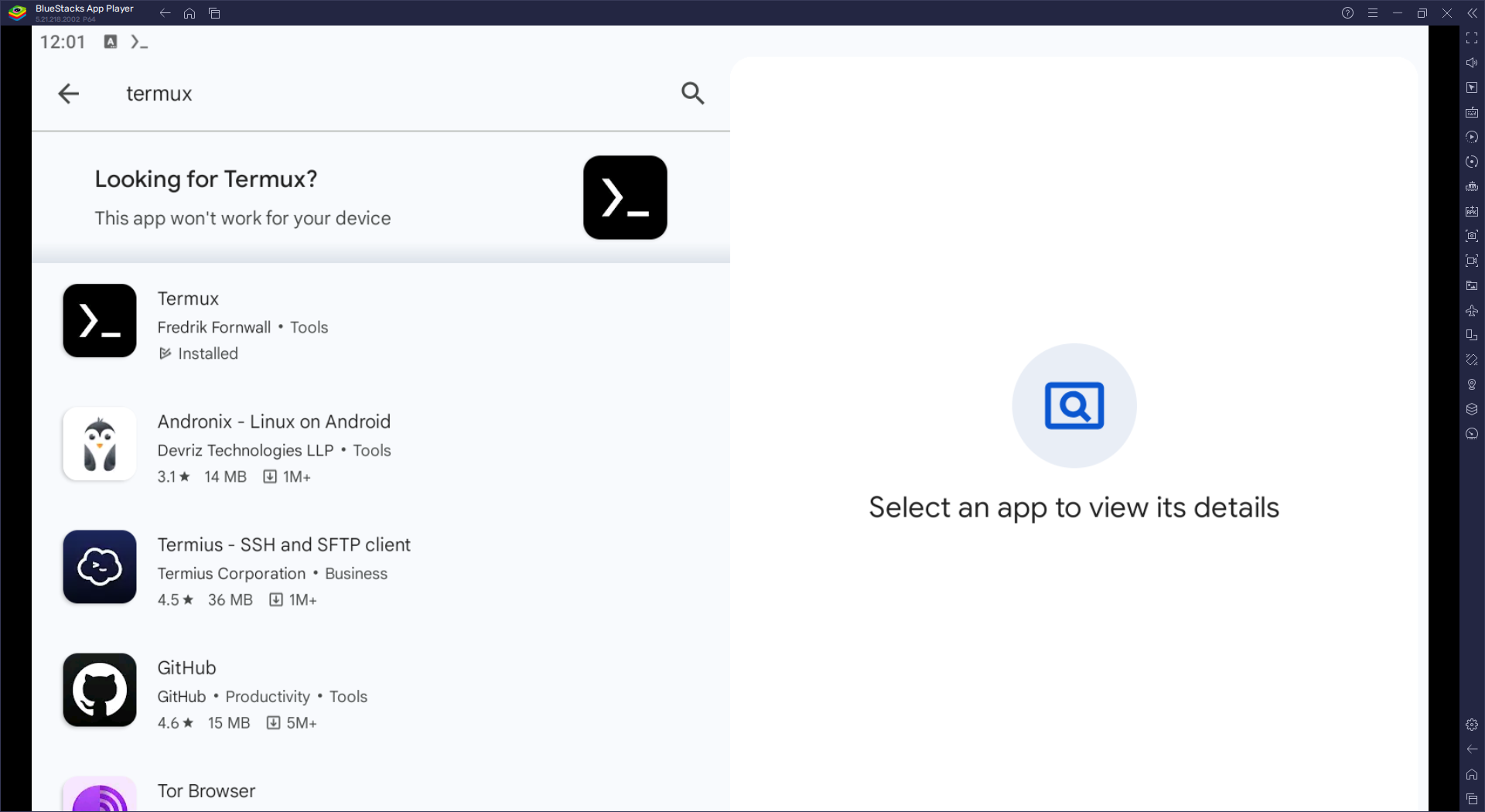
- Now we need the Termux APK.
- Download it from the Google Play Store.
- Now run this command to install the package we need for the libUE4.so file:
pkg install radare2
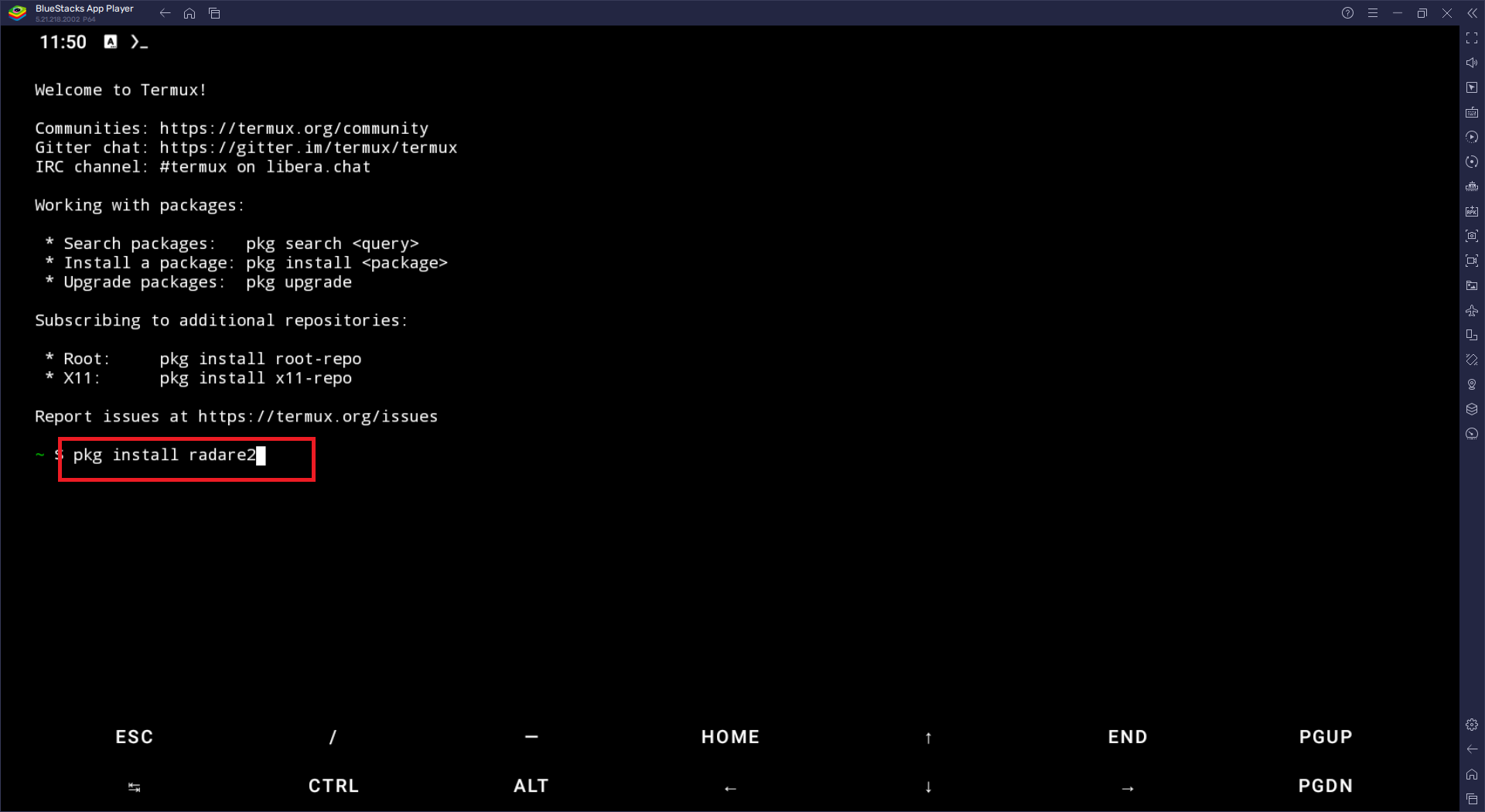
- In the middle of the install, it will ask:
Do you want to continue? [Y/N]
- Enter 'Y' to continue, and wait until it installs.
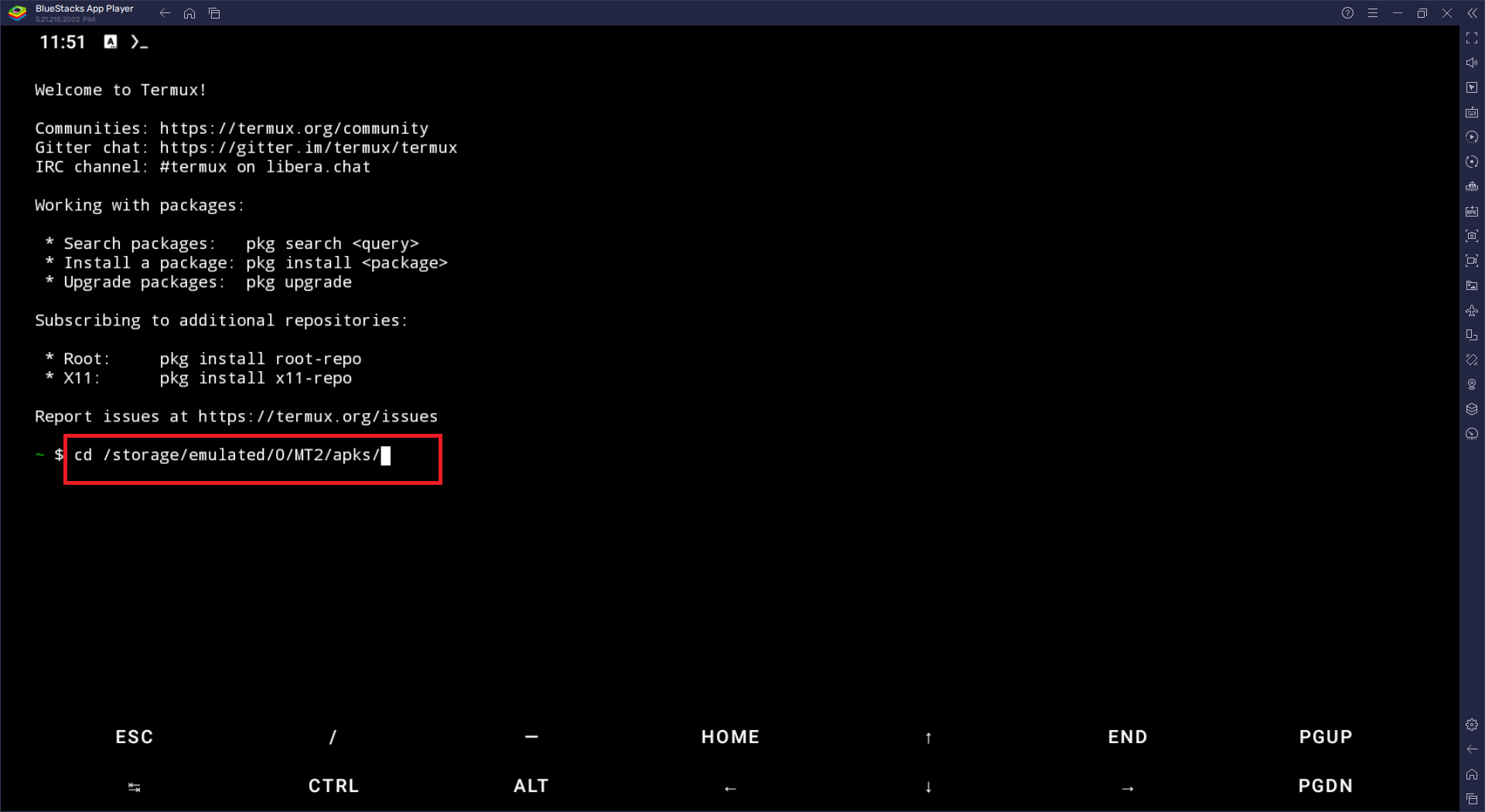
- Now locate the file path where we extracted it by using this command:
cd /path
- In my case, it should look like this.
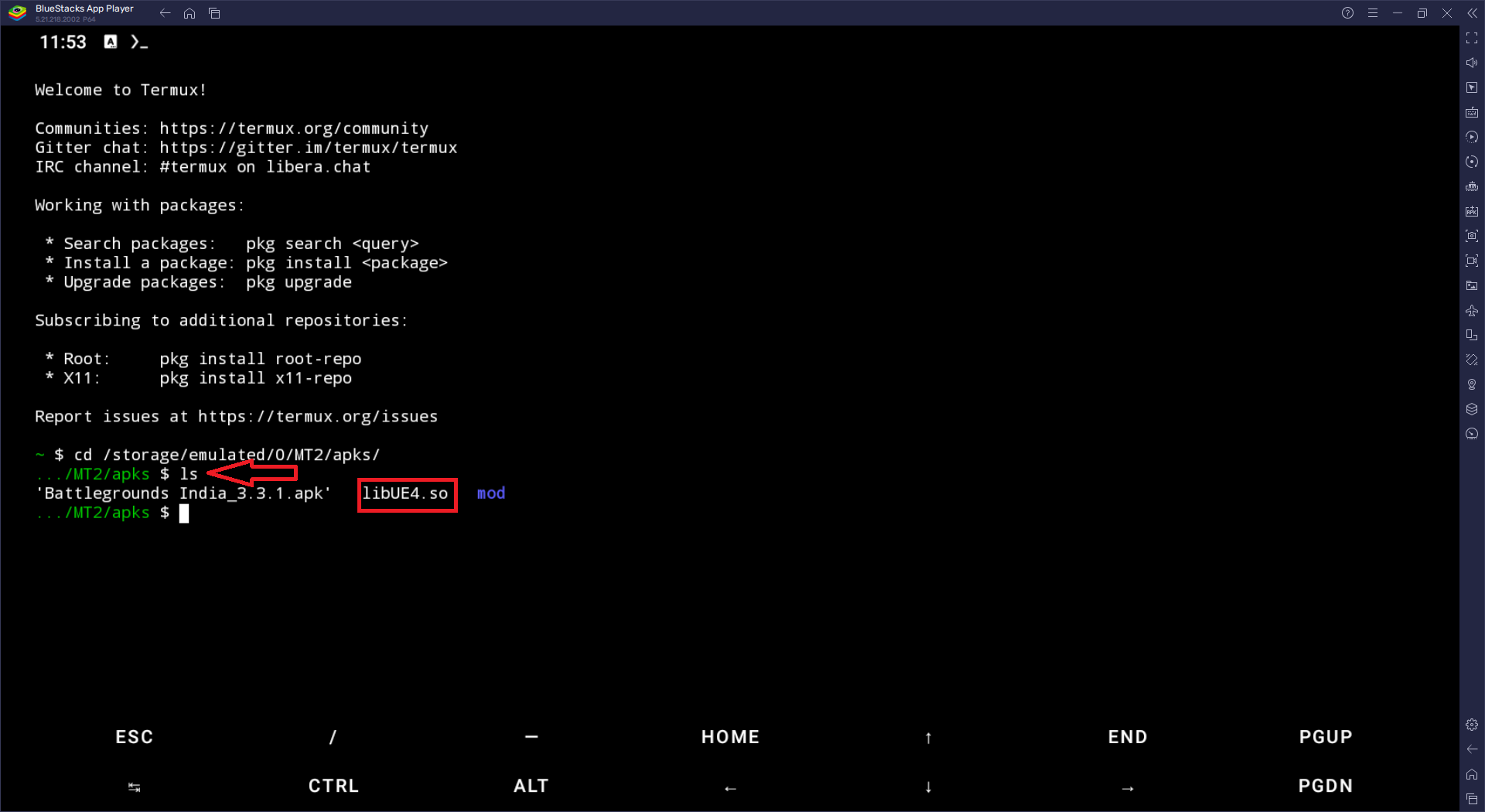
- For confirmation, you can check the folder contents by using the 'ls' command.
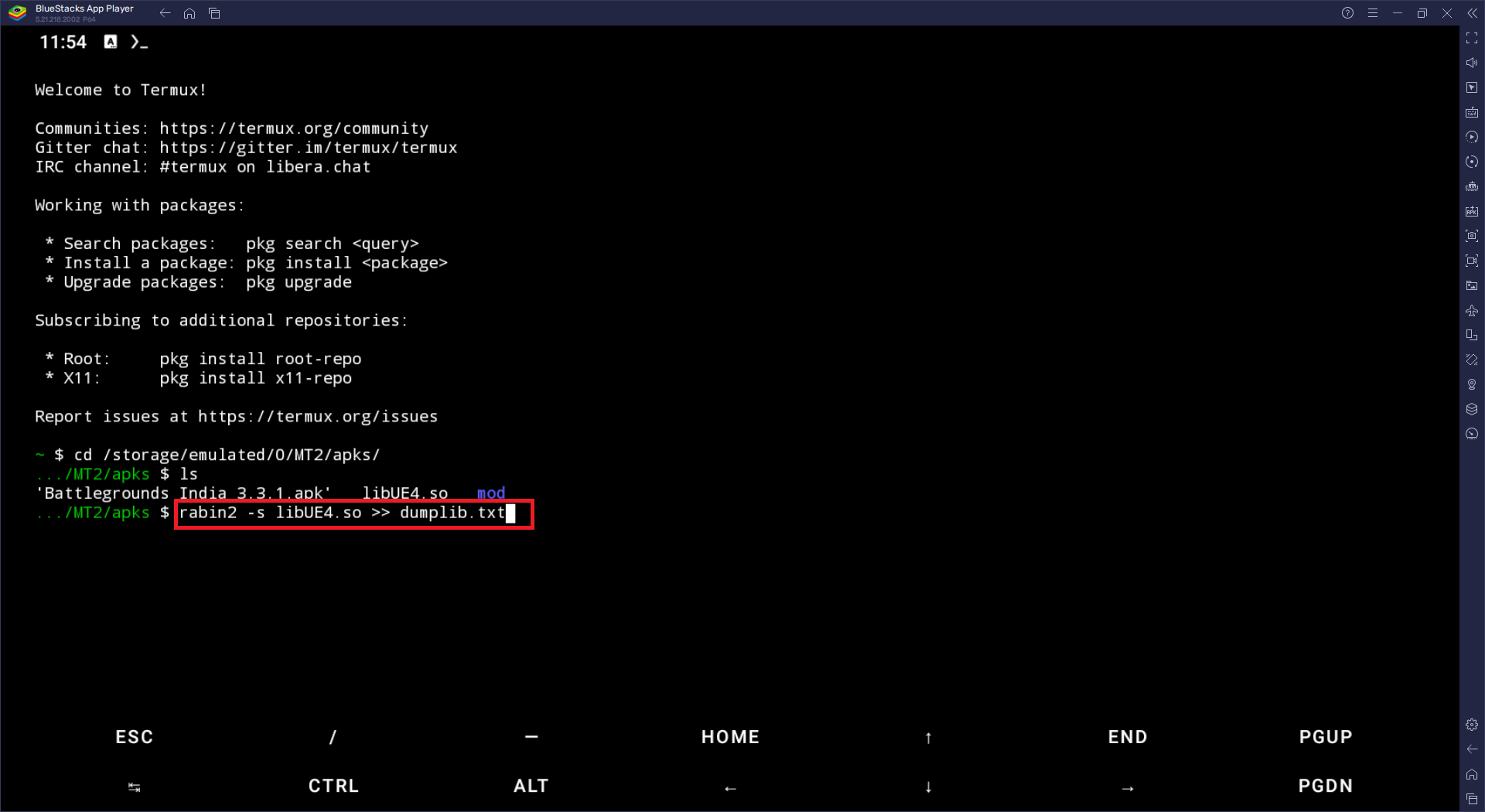
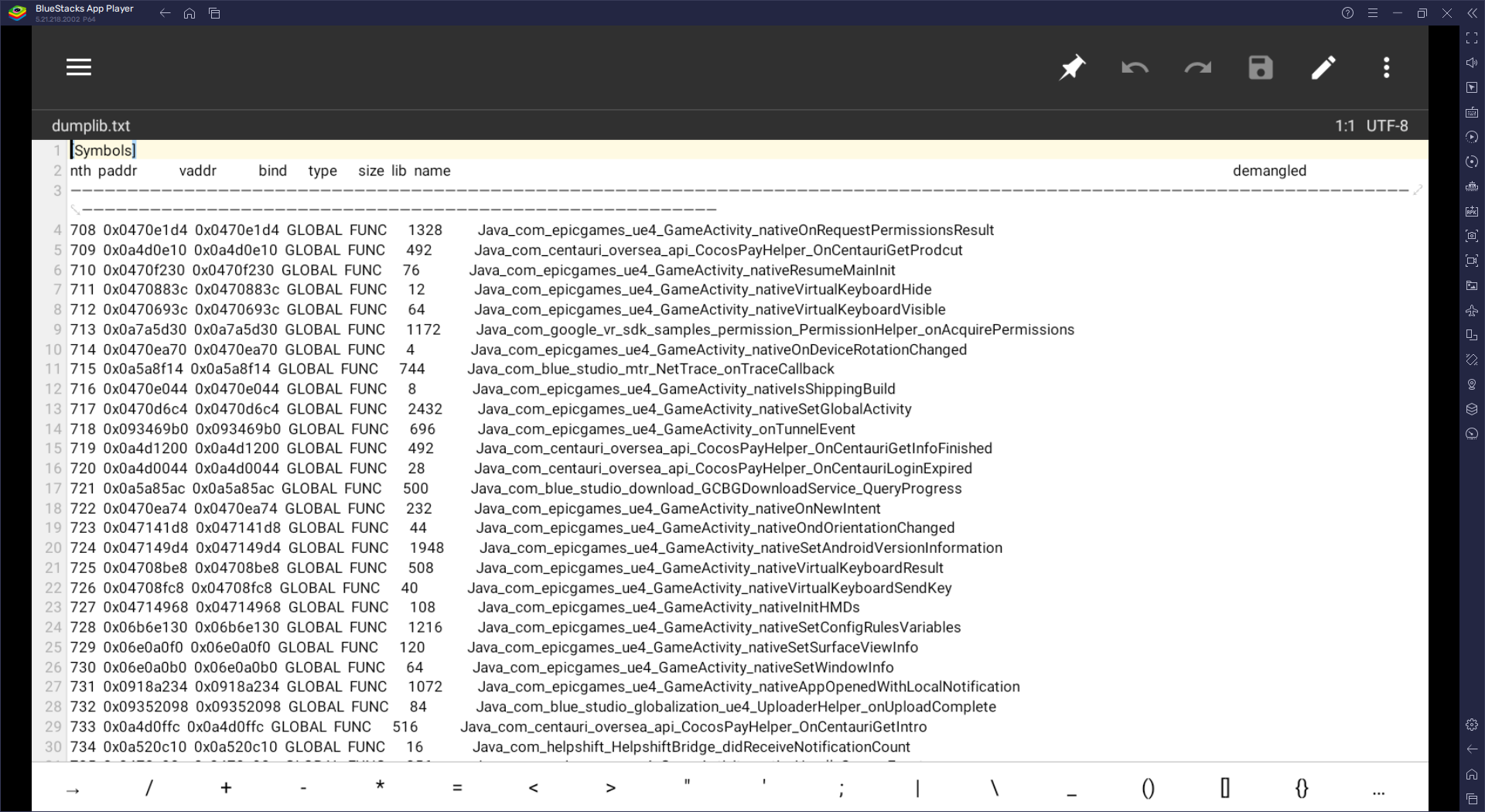
- Now use this command to dump the file into text format:
rabin2 -s libUE4.so >> example.txt
- In my case, it looks like this.
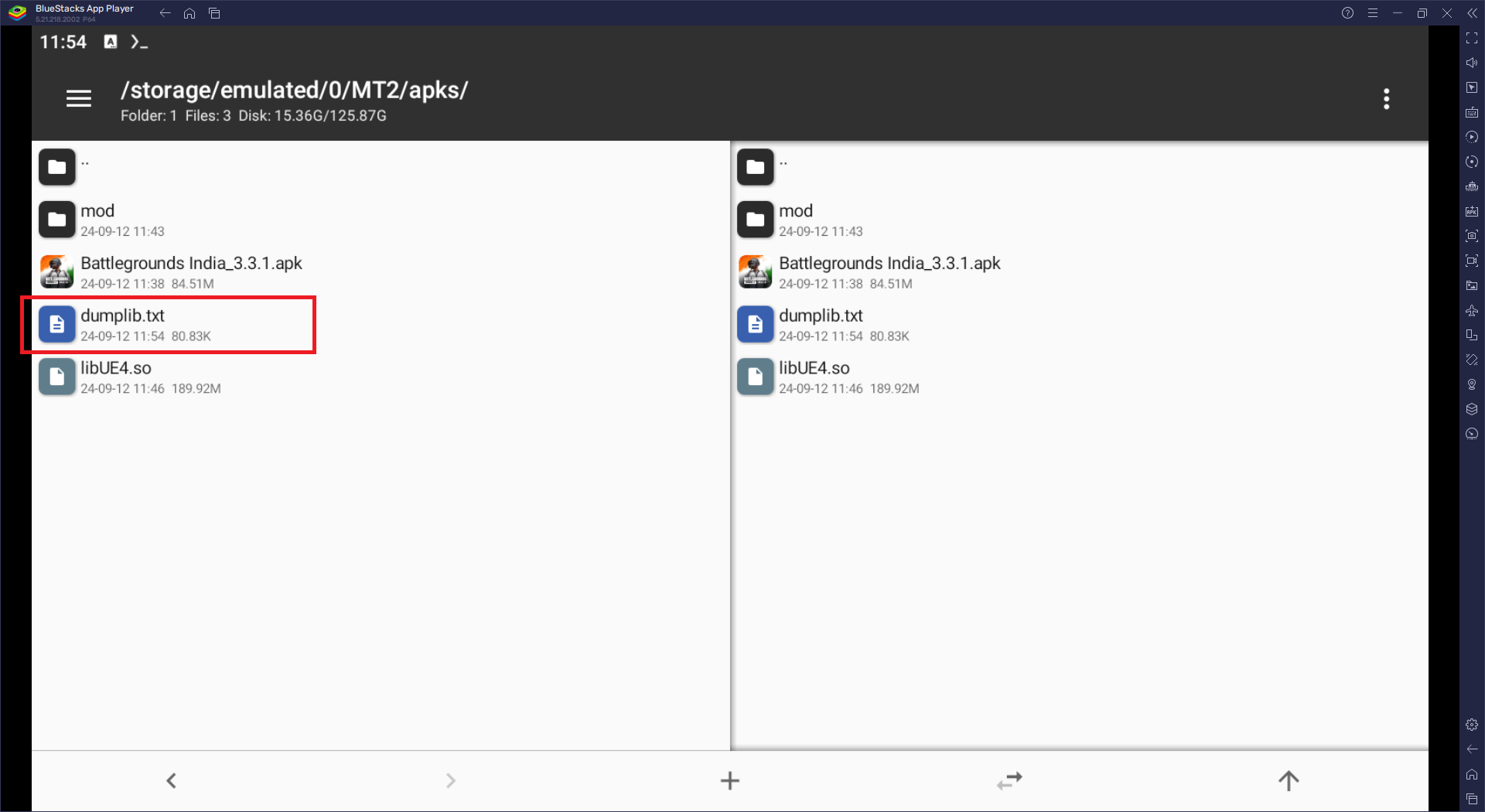
- Now let's check our file.
- See, we got our file.
- let's open it
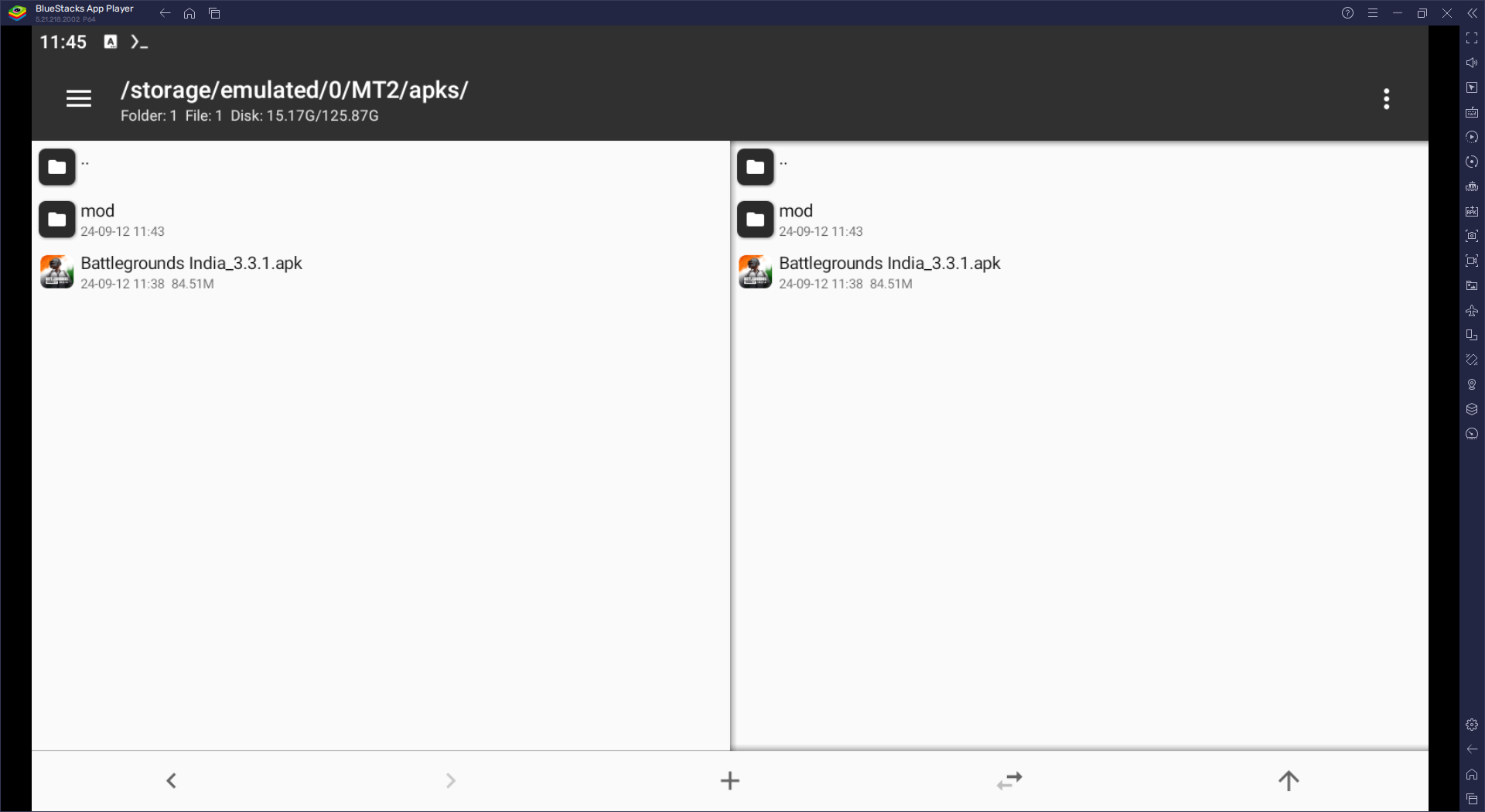
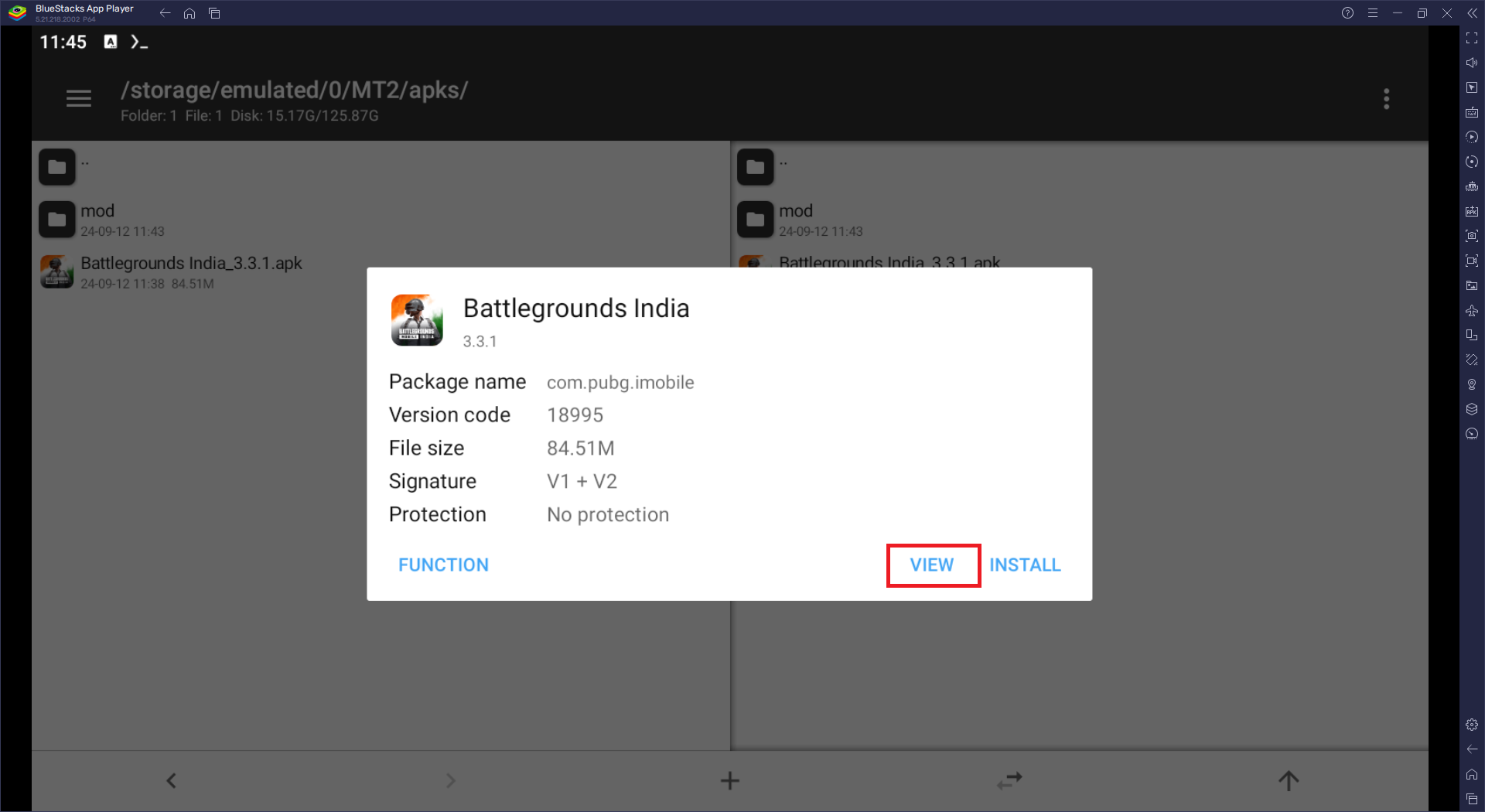
Video tutorial : Dumping protected .so file and metadata file
Basic Script for Dumping Remaining Libs
You can also create a script to automate the process for certain libs. click here to use a simple basic script for some remaining libs.
To learn scripting watch this video: Lua scripting course